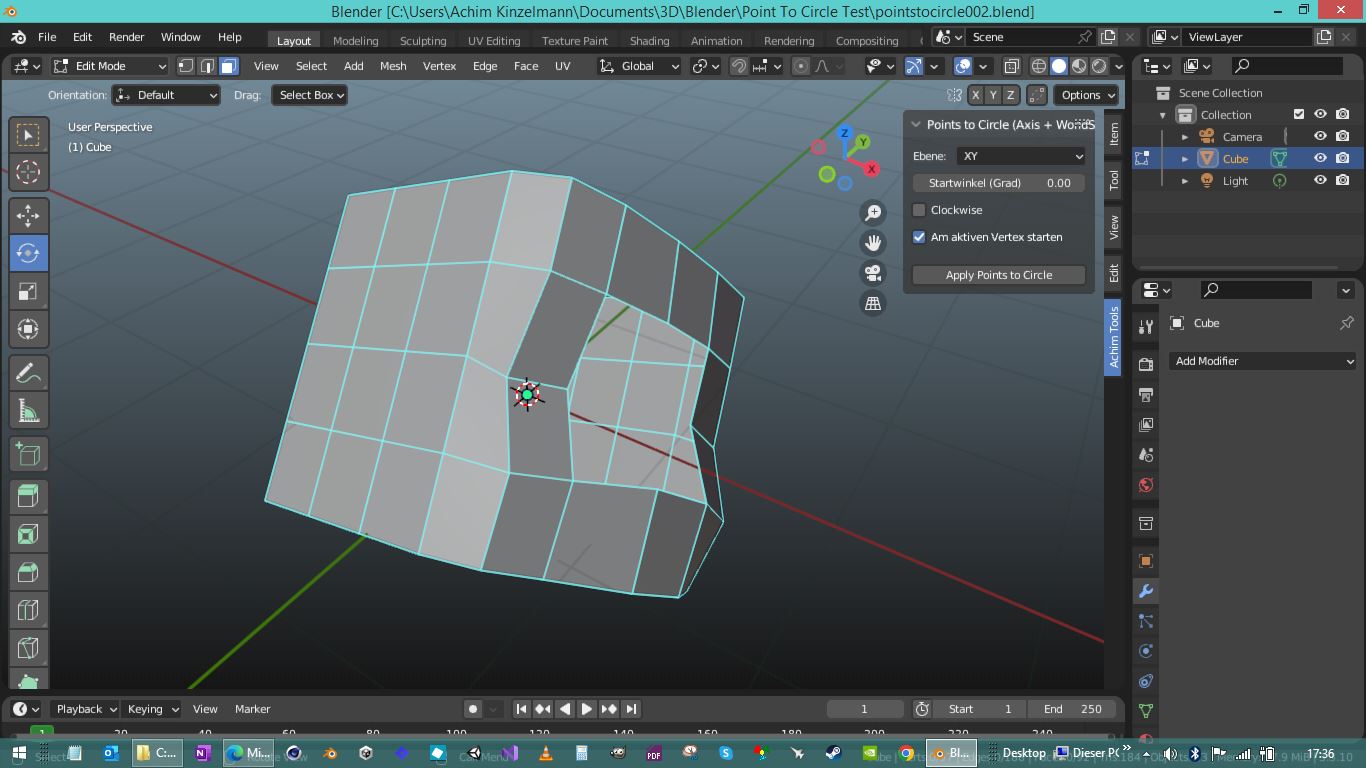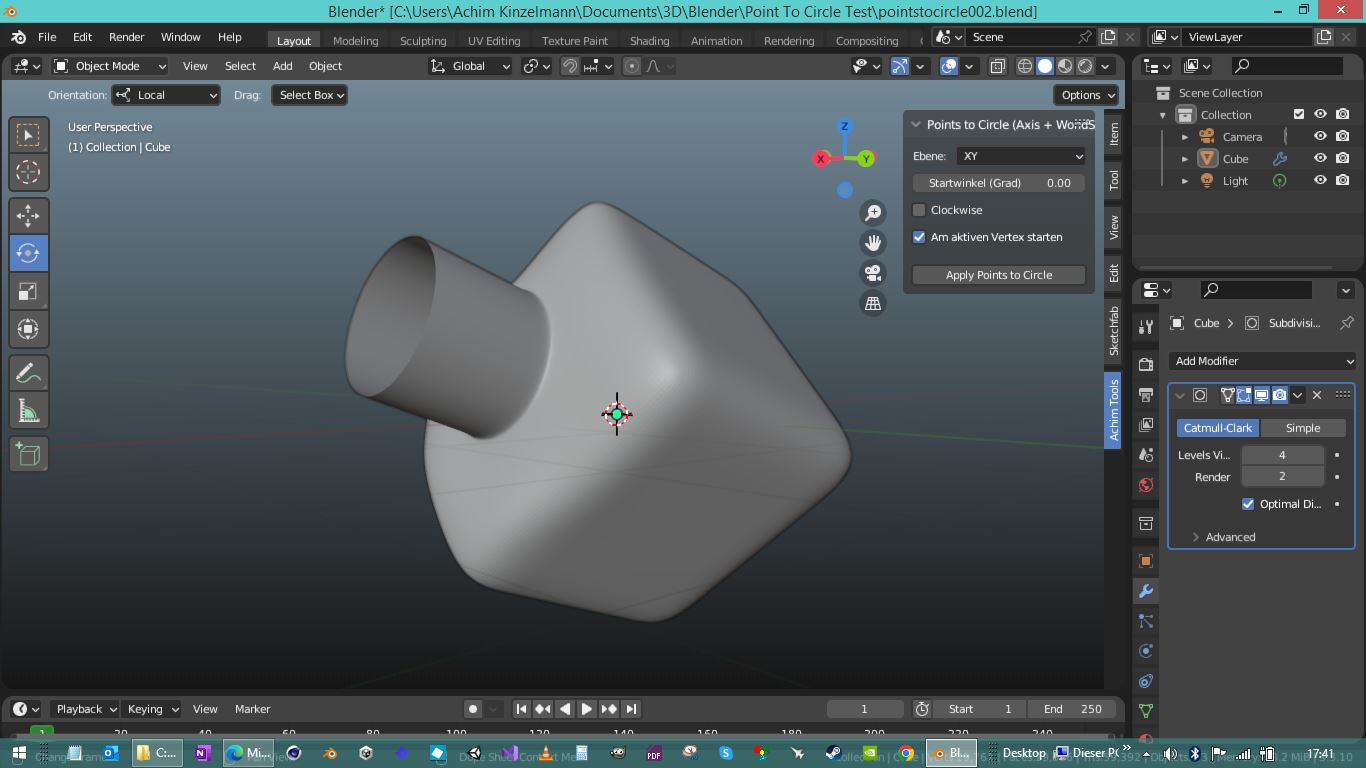
Heute habe ich mal wieder was für Blender gemacht. Mit Microsoft Copilot, wie fast alles zur Zeit :)))
Und zwar: ein Points-To-Circle Script
Das gibts für alle Apps wie 3dsMax und Cinema4D und bestimmt auch schon zig Versionen für Blender. Aber eine mehr schadet bestimmt nicht, und meine ist ganz praktisch in der jetzigen Version.
Und um nicht zu langweilen, gleich hier das Script, für alle die es haben wollen:
 bl_info = {

"name": "Achim Tools: Points to Circle (Axis Planar, WorldSpace, Ordered)",

"author": "Achim & Copilot",

"version": (1, 3),

"blender": (3, 3, 1),

"location": "View3D > Sidebar > Achim Tools",

"description": "Perfekter Kreis auf XY/XZ/YZ mit Weltkoordinaten, BBox-Zentrum und stabiler Reihenfolge. UI über Scene-Properties.",

"category": "Mesh",

}
import bpy
import bmesh
from mathutils import Vector, Matrix
import math
# ———- UI Properties ———-
class PointsToCircleSettings(bpy.types.PropertyGroup):
axis: bpy.props.EnumProperty(
name=“Ebene“,
description=“Ebene, in der der Kreis liegen soll“,
items=[(‚XY‘, „XY“, „Kreis in XY-Ebene“),
(‚XZ‘, „XZ“, „Kreis in XZ-Ebene“),
(‚YZ‘, „YZ“, „Kreis in YZ-Ebene“)],
default=’XY‘
)
angle_offset: bpy.props.FloatProperty(
name=“Startwinkel (Grad)“,
description=“Rotation des Kreises in Grad“,
default=0.0
)
clockwise: bpy.props.BoolProperty(
name=“Clockwise“,
description=“Reihenfolge im Uhrzeigersinn“,
default=False
)
start_at_active: bpy.props.BoolProperty(
name=“Am aktiven Vertex starten“,
description=“Beginne Verteilung am aktiven Vertex (falls vorhanden)“,
default=True
)
# ———- Operator ———-
class MESH_OT_points_to_circle_axis_ws(bpy.types.Operator):
bl_idname = „mesh.points_to_circle_axis_ws“
bl_label = „Points to Circle (Axis Planar, WorldSpace)“
bl_options = {‚REGISTER‘, ‚UNDO‘}
def execute(self, context):
obj = context.active_object
if not obj or obj.type != ‚MESH‘:
self.report({‚ERROR‘}, „Aktives Objekt ist kein Mesh“)
return {‚CANCELLED‘}
# Settings aus Scene-Properties
s = context.scene.points_to_circle_settings
axis = s.axis
angle_offset_deg = s.angle_offset
clockwise = s.clockwise
start_at_active = s.start_at_active
bm = bmesh.from_edit_mesh(obj.data)
verts = [v for v in bm.verts if v.select]
if len(verts) < 3: self.report({‚ERROR‘}, „Mindestens 3 Vertices auswählen“) return {‚CANCELLED‘} # Weltmatrix und inverse mw: Matrix = obj.matrix_world mw_inv: Matrix = mw.inverted() # Weltkoordinaten der Auswahl world_points = [(v, mw @ v.co) for v in verts] # 2D-Projektion je nach gewünschter Ebene in Weltkoordinaten def project2d(wco: Vector) -> Vector:
if axis == ‚XY‘:
return Vector((wco.x, wco.y))
elif axis == ‚XZ‘:
return Vector((wco.x, wco.z))
else: # YZ
return Vector((wco.y, wco.z))
pts2d = [(v, project2d(wco)) for v, wco in world_points]
# 2D-Bounding-Box Zentrum (robuster als Durchschnittszentrum bei schiefen Loops)
xs = [p.x for _, p in pts2d]
ys = [p.y for _, p in pts2d]
min_x, max_x = min(xs), max(xs)
min_y, max_y = min(ys), max(ys)
center2d = Vector(((min_x + max_x) * 0.5, (min_y + max_y) * 0.5))
# 3D-Zentrum in Weltkoordinaten: auf Ebene fixieren (Z bzw. Y bzw. X aus Durchschnitt)
# Nutze den Durchschnitt für die nicht-projizierte Achse, damit die Ebene korrekt gesetzt wird.
avg_world = sum((wco for _, wco in world_points), Vector((0, 0, 0))) / len(world_points)
if axis == ‚XY‘:
center3d = Vector((center2d.x, center2d.y, avg_world.z))
elif axis == ‚XZ‘:
center3d = Vector((center2d.x, avg_world.y, center2d.y))
else: # YZ
center3d = Vector((avg_world.x, center2d.x, center2d.y))
# Winkel um 2D-BBox-Zentrum
def angle_of(p2d: Vector) -> float:
return math.atan2(p2d.y – center2d.y, p2d.x – center2d.x)
sorted_items = sorted(pts2d, key=lambda item: angle_of(item[1]))
# Optional am aktiven Vertex starten: nutze bmesh select_history
av = bm.select_history.active
if start_at_active and isinstance(av, bmesh.types.BMVert) and av.select:
# finde den Index des nächstliegenden 2D-Punktes zum aktiven Vertex
active_world = mw @ av.co
active_p2d = project2d(active_world)
best_i = min(range(len(sorted_items)),
key=lambda i: (sorted_items[i][1] – active_p2d).length_squared)
if best_i != 0:
sorted_items = sorted_items[best_i:] + sorted_items[:best_i]
if clockwise:
sorted_items.reverse()
# Radius = halbe größte 2D-Ausdehnung (immer rund)
max_extent = max(max_x – min_x, max_y – min_y) * 0.5
# Falls alle Punkte identisch (degeneriert), fallback auf kleinen Wert
if max_extent <= 1e-9: max_extent = 1.0 # Winkeloffset (Grad -> Radiant)
offset_rad = math.radians(angle_offset_deg)
n = len(sorted_items)
# Gleichmäßige Verteilung auf Kreis in Weltkoordinaten
for i, (v, _) in enumerate(sorted_items):
ang = (2 * math.pi * i) / n + offset_rad
cx = math.cos(ang) * max_extent
cy = math.sin(ang) * max_extent
if axis == ‚XY‘:
target_world = Vector((center3d.x + cx, center3d.y + cy, center3d.z))
elif axis == ‚XZ‘:
target_world = Vector((center3d.x + cx, center3d.y, center3d.z + cy))
else: # YZ
target_world = Vector((center3d.x, center3d.y + cx, center3d.z + cy))
# Zurück in Objektkoordinaten schreiben
v.co = mw_inv @ target_world
bmesh.update_edit_mesh(obj.data)
return {‚FINISHED‘}
# ———- Panel ———-
class VIEW3D_PT_points_to_circle_ws(bpy.types.Panel):
bl_label = „Points to Circle (Axis + WorldSpace)“
bl_space_type = ‚VIEW_3D‘
bl_region_type = ‚UI‘
bl_category = ‚Achim Tools‘
def draw(self, context):
layout = self.layout
s = context.scene.points_to_circle_settings
layout.prop(s, „axis“)
layout.prop(s, „angle_offset“)
layout.prop(s, „clockwise“)
layout.prop(s, „start_at_active“)
layout.separator()
layout.operator(„mesh.points_to_circle_axis_ws“, text=“Apply Points to Circle“)
# ———- Register ———-
classes = (
PointsToCircleSettings,
MESH_OT_points_to_circle_axis_ws,
VIEW3D_PT_points_to_circle_ws,
)
def register():
for c in classes:
bpy.utils.register_class(c)
bpy.types.Scene.points_to_circle_settings = bpy.props.PointerProperty(type=PointsToCircleSettings)
def unregister():
del bpy.types.Scene.points_to_circle_settings
for c in reversed(classes):
bpy.utils.unregister_class(c)
if __name__ == „__main__“:
register()
Um es zu nutzen einfach in Blender den Text Editor öffnen, einen neuen Text erstellen, dann den Code Copy/Paste, dann den Text Save_as irgendwohin saven, wo eure Scripte eben sind. Dann unter Edit/Preferences/Addons das Script installieren. Es ist dann im N-Panel im Reiter „Achim Tools“ den Namen des Reiters könnt ihr auch zuvor im Code ändern so dass er nicht „Achim Tools“ heisst sondern „Deine Tools“ oder whatever ihr ihn benennen wollt.
Und wer nicht weiss was das Script macht, einfach im Internet Point to Circle suchen, ihr findet dann schon was.
Kurz: wenn ihr ein Mesh mit einem Polygonloch habt, wählt ihr den Edgeloop des Loches aus, dann wechselt ihr auf Vertices und klickt im N-Panel das Script an und das Loch wird zu einem gleichmässigen Kreis. Das ist sehr geil und praktisch beim modeling.
Das Script kann sicher noch verbessert werden oder weitere Funktionen erhalten, aber es ist so schon recht praktisch.